Strength Training Workouts · New feature
Ask Coach
Tell the app what you want to achieve — get matched to programs, workouts, and exercises from the library, with conversational follow-ups powered by on-device Apple Intelligence.
Whether you need a rowing strength plan, leg-focused programs, shoulder exercises, or a custom home workout, Ask Coach helps you find the right next step without digging through menus.
How it works
From goal to the right plan
Ask Coach lives on the Routines screen and inside custom workout creation. Describe your goal once, review library matches, keep chatting, or build a bespoke session when you need something tailored.
Open Ask Coach from Routines
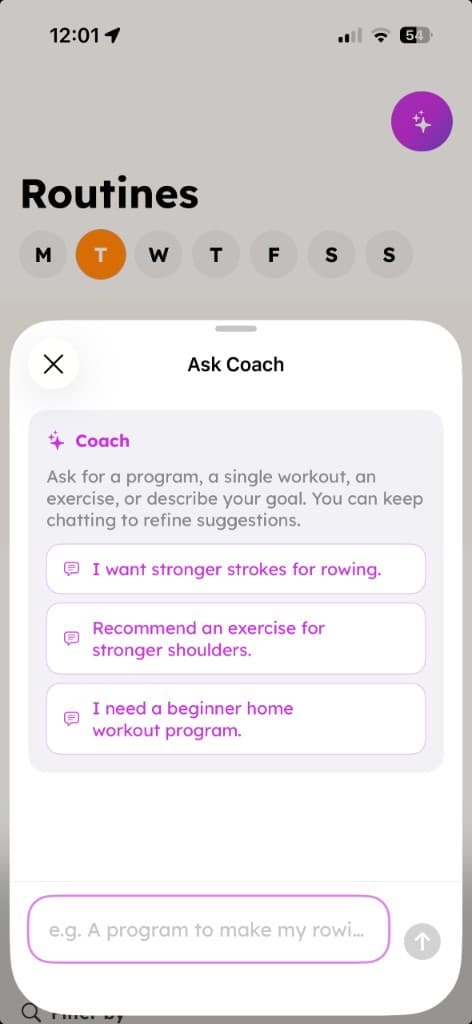
Tap the sparkle button on the Routines screen to start a conversation. Not sure what to ask? Tap a suggested prompt — like stronger strokes for rowing, shoulder exercises, or a beginner home program — to get going instantly.
Get matched to real programs & workouts
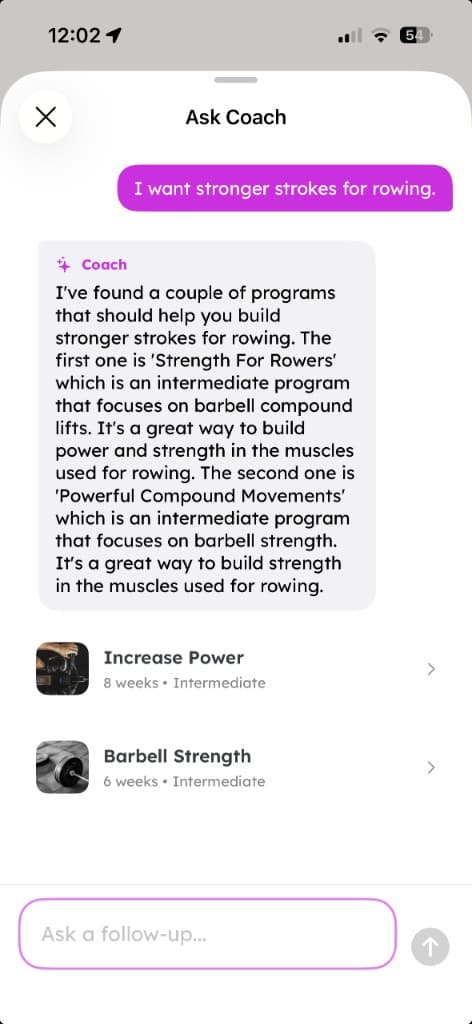
Describe your goal in plain language and Ask Coach searches the app's library of multi-week programs and ready-made workouts. Ask for rowing power, stronger legs, running support, or muscle growth — and get tappable recommendations you can open straight away, not generic advice from the internet.
Keep chatting to refine suggestions
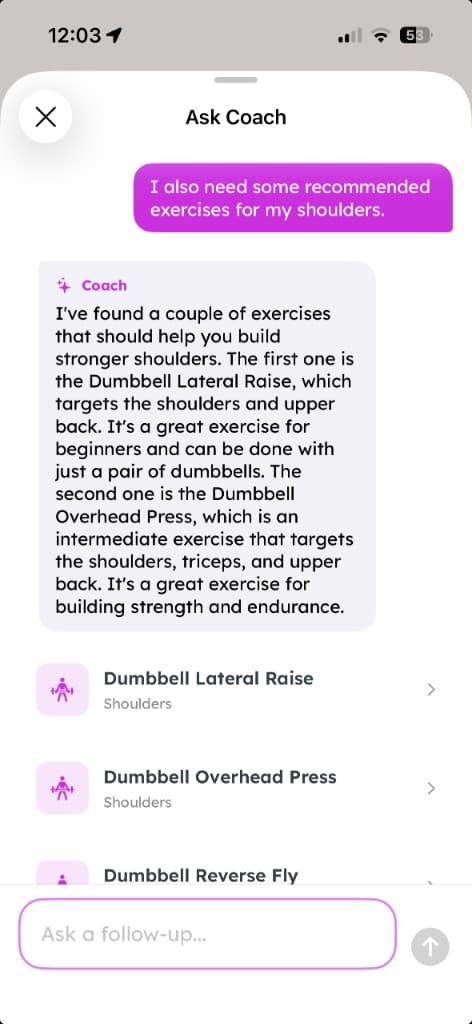
Your conversation stays in the sheet while you browse — dismiss and come back without losing history. Ask follow-ups in the same thread: request exercises for a muscle group, narrow by equipment, or clarify what you need. Coach remembers context and responds in a friendly, direct tone.
Build a custom workout when you need one
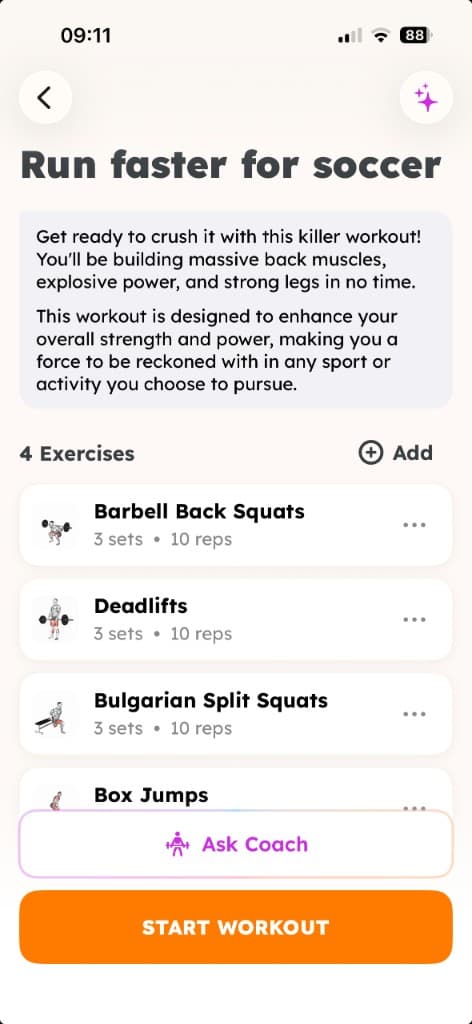
When nothing in the library is quite right, Ask Coach can describe a bespoke session and hand you off to the workout builder with your full goal in context — including equipment constraints like home or bodyweight training. You can also use Ask Coach while creating any custom workout to add exercises from your goal.
What's new
A coach that knows your library
The latest Ask Coach update goes beyond single-workout exercise picks — it helps you discover programs and sessions already in Strength Training Workouts, then stay in conversation until you find the right fit.
Programs, workouts & exercises
Ask Coach understands what you're looking for — a multi-week program, a single session, or specific exercises — and routes you to the right matches in the app's curated library.
Conversational follow-ups
Chat history persists while you use the app. Ask a follow-up without starting over, and Coach uses the full conversation to stay on track.
Smart library matching
Recommendations respect your goal, sport, muscle focus, difficulty, and equipment. The coach prefers existing Push Pull Legs, sport-specific plans, and targeted workouts before suggesting you create something new.
On-device Apple Intelligence
Generation runs entirely on your iPhone using Apple Foundation Models. Your goals stay private — nothing is sent to the cloud for Ask Coach.
Example prompts & guidance
Suggested questions help you get started. If your question is unclear or off-topic, Coach explains what it can help with and offers tappable prompts to try.
Expandable coach sheet
The Ask Coach sheet opens at a comfortable height and expands to full screen when you want more room to read recommendations or continue the conversation.
The story
Built by a solo indie developer
Vigour Fitness is independently owned and operated. Strength Training Workouts was built for people who find most gym apps overwhelming — who want to get stronger to support what they already do.
Ask Coach started as a way to build custom workouts from a goal. It now helps you navigate the full app — programs for rowers and runners, targeted workouts, exercise recommendations, and bespoke sessions when the library needs a nudge.
For reviewers
Technical overview
- Where to find it
- Tap the sparkle Ask Coach button on the Routines screen, or open Ask Coach while creating a custom workout from the workout preview screen.
- Apple Intelligence
- Requires a device that supports Apple Intelligence. Generation uses the Foundation Models framework entirely on-device.
- What the model returns
- A coach explanation plus matches from the app's program, workout, and exercise catalogs — or a custom workout description when nothing in the library fits. Users can tap recommendations to open them full screen, continue the chat, or add exercises to a custom session.
- Privacy
- Conversation text and AI generation are processed on-device. No cloud AI service is used for Ask Coach suggestions.
Try Ask Coach in Strength Training Workouts
7-day free trial. Open Routines, tap Ask Coach, and tell it what you want to train for.