
The short answer
Yes, you can use a rowing machine without a monitor. The monitor only measures your workout; your body does the same work either way. Use a timer for session length, count your strokes in 15 seconds and multiply by four to find your stroke rate, and use the talk test to judge effort. For rhythm and progression, a rowing app like Rowing Machine Workouts can coach your stroke rate with a metronome and give every session a plan.
Lots of home rowing machines, especially budget magnetic and water rowers, come with a tiny display, a flaky one, or nothing at all. It is easy to assume that means your workouts will not count. They do. The flywheel does not care whether anyone is watching.
Is rowing without a monitor still worth it?
Absolutely. Every stroke works your legs, glutes, core, back and arms, and gets your heart and lungs going. That happens whether or not a screen is counting the metres. Rowing without a display still gives you:
- A full-body workout: the drive starts with your legs, carries through your core and finishes with your back and arms.
- Low-impact cardio: kind to your knees and ankles compared with running, so it is a great option for beginners and anyone coming back from a break.
- Real calorie burn: you burn the energy whether or not a number tells you how much.
- Better focus on technique: with no numbers to chase, you can pay attention to how each stroke feels.
Some people actually prefer it. Staring at a split time can make you tense and rush, and rowing by feel is a nice way to switch off.
What do you lose without a rowing monitor?
A performance monitor usually shows distance, time, pace per 500m, strokes per minute (SPM) and calories. Without it, you lose the easy way to see those numbers. Here is the thing, though: only three of them really matter for a good session, and you can track all three without a screen.
- Time: how long you row for. Any phone or watch covers this.
- Stroke rate (SPM): how many strokes you take per minute. This controls your rhythm, and you can count it yourself (more on that below).
- Effort: how hard you are pushing each stroke. Your breathing and the talk test tell you this pretty accurately.
What you genuinely miss is structure: knowing what to do in each part of the session and how to build on it next week. That is the bit most people struggle with, and we will come back to it.
How to row without a monitor: 6 simple tips
- Train by time, not distance. Swap “row 5,000m” for “row 20 minutes”. Set a phone timer, prop it where you can see it, and you have the most important number sorted.
- Count your strokes to find your SPM. Count strokes for 15 seconds and multiply by four. Six strokes in 15 seconds is 24 SPM. As a rough guide, easy rowing sits around 18 to 22 SPM, harder efforts around 24 to 28, and short sprints can go over 30.
- Use the talk test for effort. Chatting comfortably is easy (about 3 to 4 out of 10). Short sentences only is moderate to hard (6 to 7). A word or two at a time is very hard (8 or more).
- Keep a 1:2 rhythm. Push away quickly and powerfully, then take about twice as long sliding back. Think “legs, body, arms” on the way out and “arms, body, legs” on the way back. A smooth, unhurried recovery keeps your stroke rate honest.
- Keep resistance moderate. Cranking the resistance or damper to max does not mean a better workout; it just tires your back out. On air rowers, a middle setting (around 3 to 5) suits most people. On magnetic rowers, pick a level where you can row smoothly for the whole session.
- Write it down. After each row, note the date, how long you rowed, your resistance setting and how hard it felt. That little log is what turns random rows into progress.
A simple rowing workout you can do without a monitor
Here is a friendly 28 minute interval session that only needs a timer. It works on any rowing machine, display or not.
| Part | Time | Stroke rate | Effort |
|---|---|---|---|
| Warm up | 5 min | 18–20 SPM | Easy, can chat |
| Intervals × 6 | 2 min on | 24–26 SPM | Hard, short sentences |
| Recovery | 1 min after each | 18 SPM or rest | Very easy |
| Cool down | 5 min | 18 SPM | Easy |
Count your strokes in the first 15 seconds of each interval to check you are in range. If six rounds feels like too much, start with four and add one each week. That is progression, and it is exactly what keeps your fitness moving forward.
Common mistakes when rowing without a display
- Letting the rate creep up. With nothing to check, most people slowly rush the slide back and end up at 30+ SPM without meaning to. Faster is not better here; it usually means shorter, weaker strokes.
- Going flat out every time. Without targets, every session turns into a sprint. Mix easy days with harder ones so you recover and keep coming back.
- Doing the same row forever. Twenty minutes at the same effort is fine for a while, but your body adapts. You need small increases over time to keep improving.
- Losing count mid-interval. Counting strokes, watching the clock and remembering which round you are on is a lot to juggle when you are out of breath.
Notice a theme? Rowing without a monitor is easy. Keeping your rhythm steady and your training organized is the hard part. That is where a bit of help makes a big difference.
Even better: row with an app like Rowing Machine Workouts
Rowing with no monitor works. Rowing with no monitor and a coach in your pocket works even better. We built Rowing Machine Workouts for exactly this, and it fixes each of the tricky bits above.
1. A metronome keeps your rhythm and timing
No more counting strokes. The app plays a metronome at your target stroke rate, so you just match one stroke to each beat. When the workout moves from an easy section to a harder one, the beat changes with it. Your eyes stay on your technique, not a screen. (We wrote a whole piece on why a rowing metronome keeps your SPM on track if you want the details.)
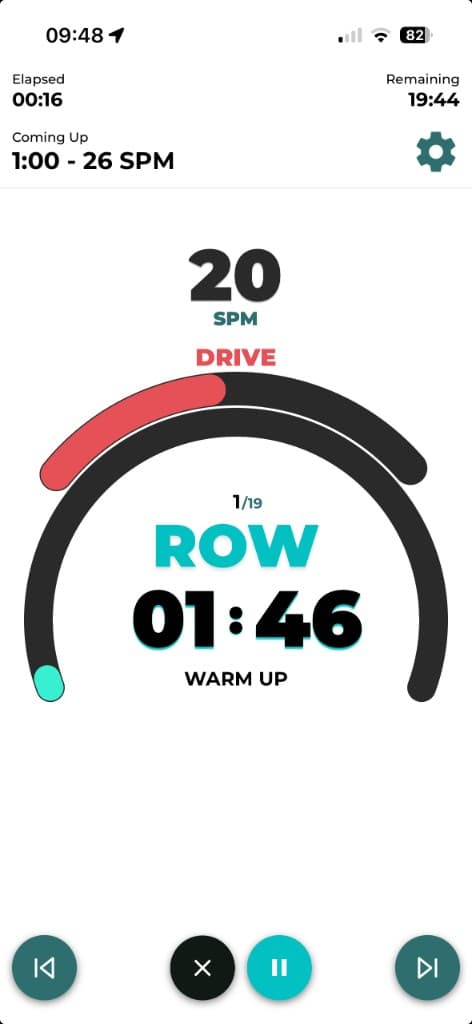
2. Every interval is timed and cued for you
Warm-up, work, rest and cool-down all run in order, with a clear countdown for each part and a heads-up on what is coming next. You never have to remember which round you are on or glance at a stopwatch.
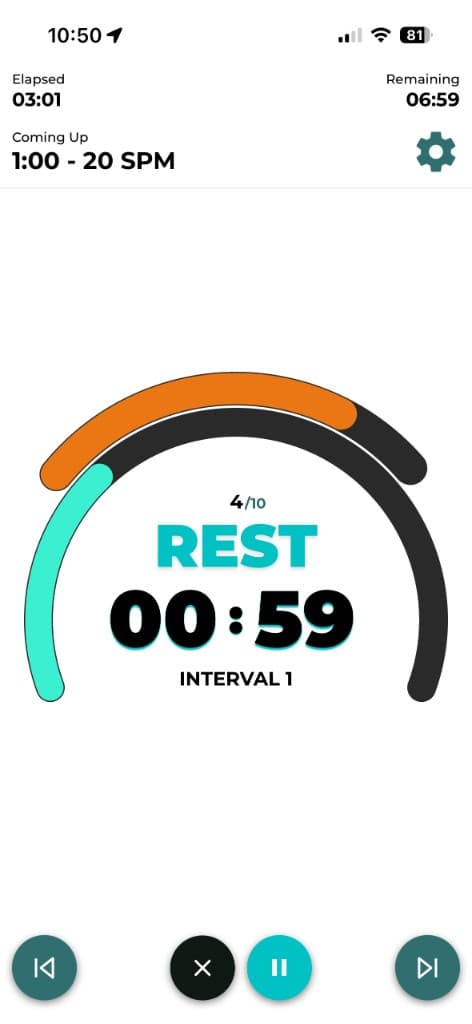
3. Structured programs give you real progression
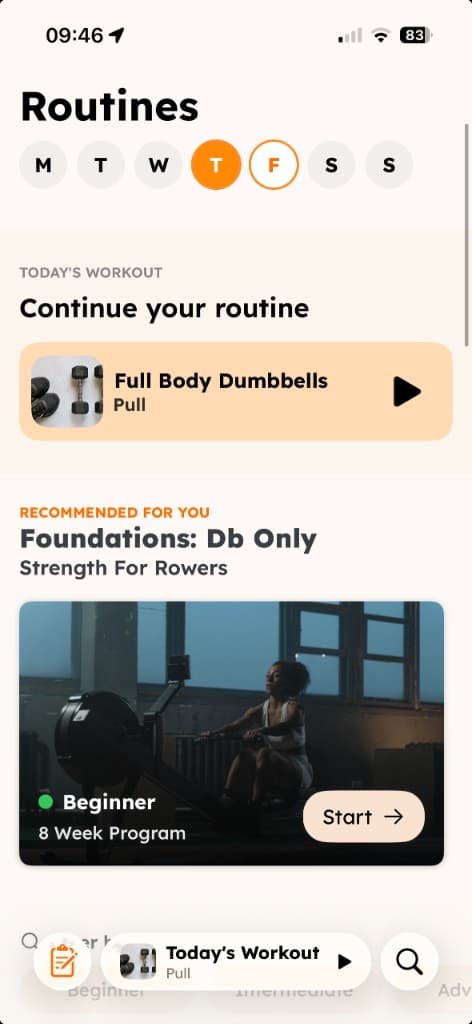
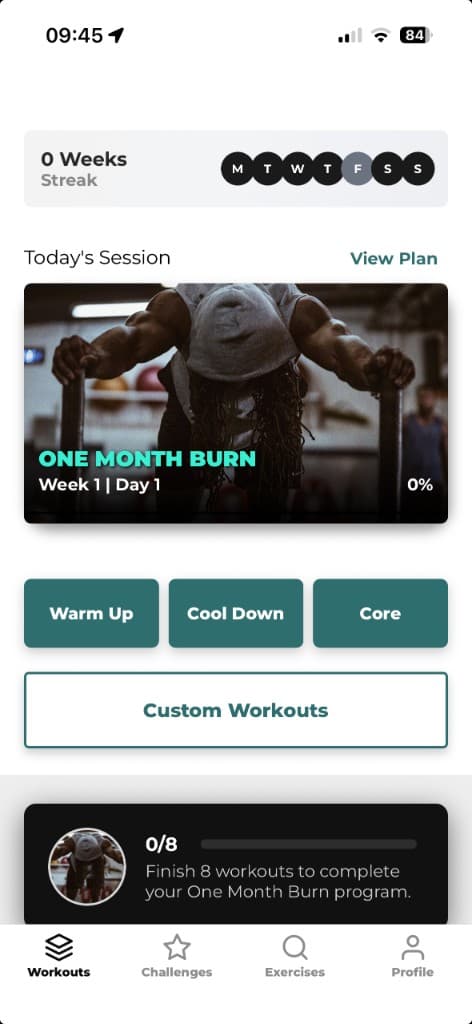
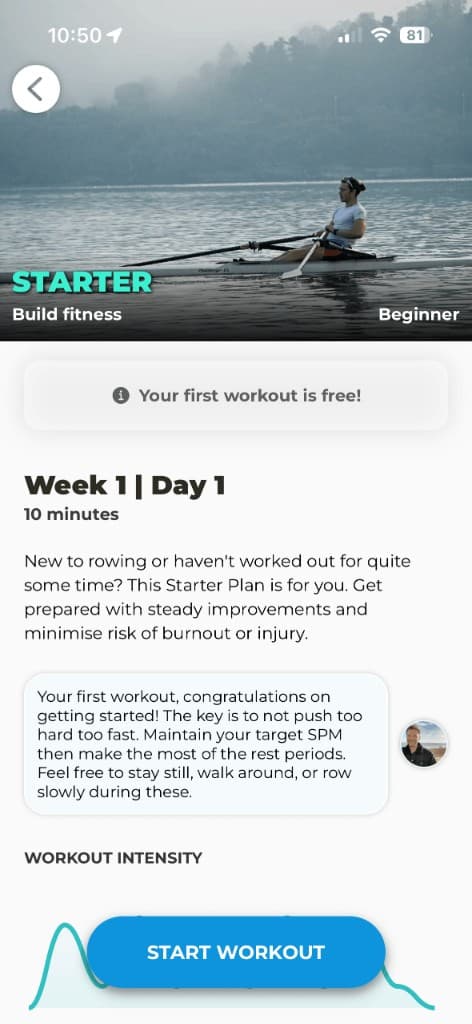
This is the big one. Instead of making up a workout each time, you follow a plan that builds week by week. New to rowing? The Starter plan eases you in with two short sessions a week. Want a bigger goal? Total Rowing takes you from beginner technique to peak fitness over six months. There are plans for weight loss and power too.
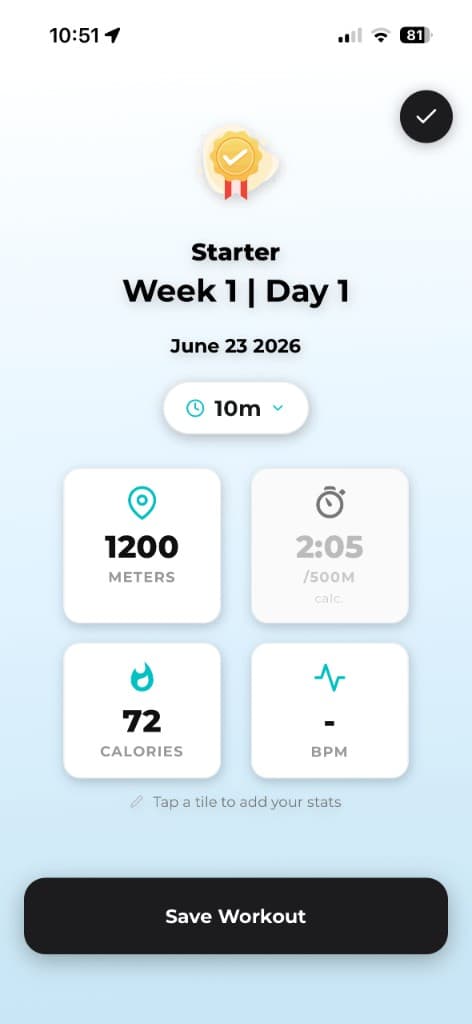
4. Log your results, screen or no screen
When you finish, save your workout to your history. If your machine shows distance or calories, tap a tile and pop them in. If it does not, you still have a record of every session you have completed.
Rowing monitor vs no monitor vs app: which is best?
| No monitor | Monitor only | Rowing app | |
|---|---|---|---|
| Great workout | Yes | Yes | Yes |
| Stroke rate guidance | Count it yourself | Shows it, you react | Metronome sets it |
| Interval timing | Phone stopwatch | Manual setup | Built into every session |
| Structure and progression | Plan it yourself | Plan it yourself | Week-by-week programs |
| Works on any rower | Yes | Depends on machine | Yes |
The monitor gives you data. An app gives you a plan. If your rower has no display, the app covers the parts that matter most. If it does have one, the two work nicely together.
The bottom line
You do not need a monitor to get fitter on a rowing machine. Row for time, keep an eye on your stroke rate, listen to your breathing and write down what you did. That alone will take you a long way.
But if you want the easy version, where the rhythm is set for you, every interval is timed, and each week builds on the last, give Rowing Machine Workouts a go. Your first workout is free, and there is a 7-day free trial to try the full programs.