The short answer
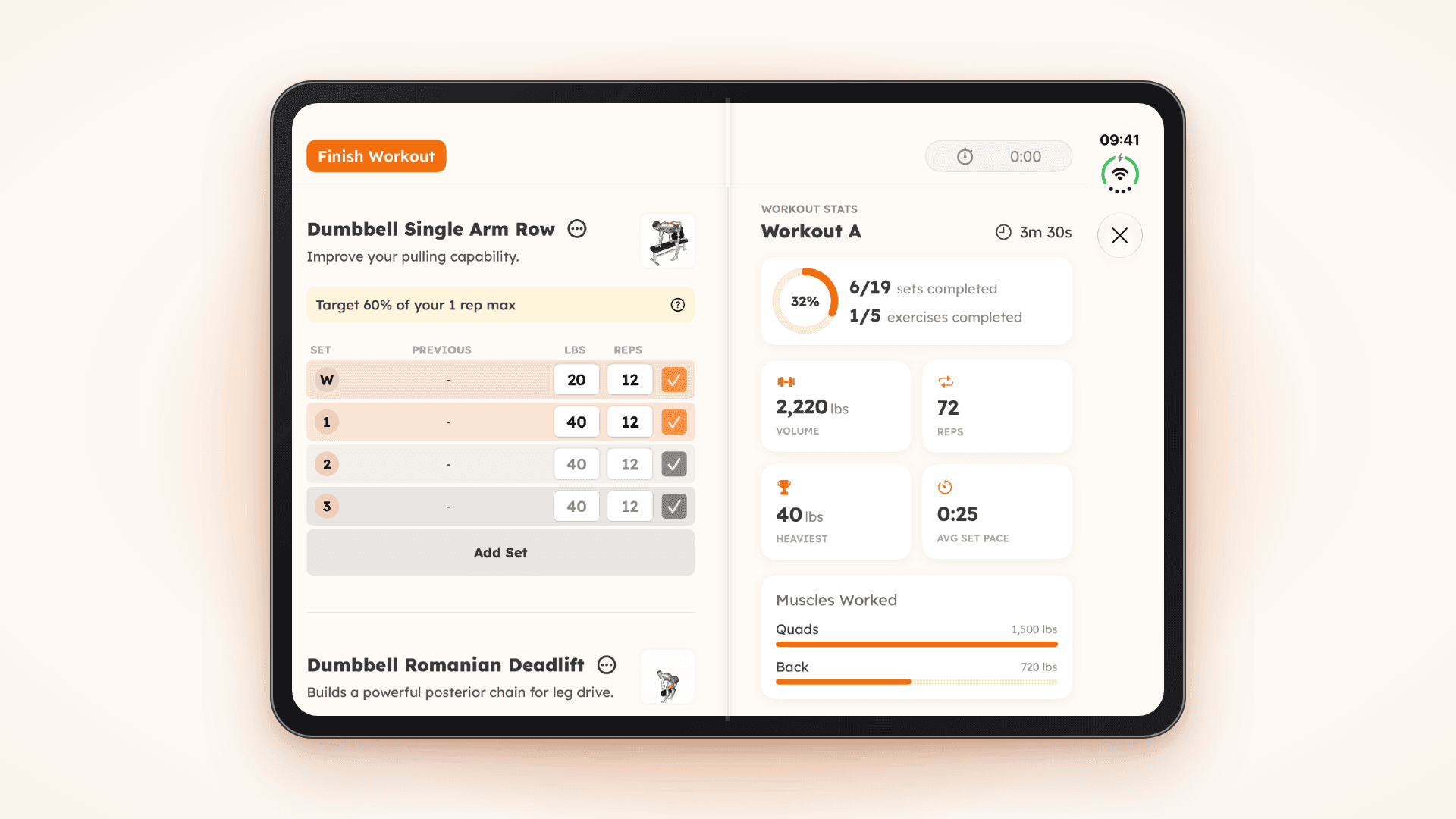
A folding screen is great for strength training because it gives you two views at once: the set you are logging and the session you are building. In Strength Workouts on iPhone Duo, the screen splits at the fold, with your sets, weight and reps on the left and live stats like volume, reps, progress and muscles worked on the right. Folded, everything still works on the outer screen.
Strength training is a numbers game played in short bursts. You lift, you log, you rest, and in that rest you want to know two things: what is next, and how am I doing? On a normal phone those answers live on different screens. On a foldable they can sit side by side.
Why a folding screen helps in the gym
It is tempting to think of a bigger screen as a bigger version of the same thing. For lifting, the real win is doing two jobs at once.
- Log and review together. Tick off a set and watch your totals change in the same glance, instead of jumping between a logging screen and a summary.
- Fewer taps between sets. Rest periods are short. Every swipe and menu you skip is attention you keep for your breathing and your next set.
- Easier to read at a distance. With the phone on a bench or the floor beside you, bigger numbers and more space make your targets readable without picking it up.
- Context while you train. Seeing your volume, progress and muscles worked mid-session helps you make better calls, like whether to push for one more set or call it a day.
Folded or unfolded: why the versatility matters
The best part of a foldable is that you do not have to choose. A gym session has quiet moments and busy ones, and the phone can change shape to match.
- Folded: compact and easy to carry between stations. Perfect for quickly ticking off a set on the outer screen while you are moving around the gym.
- Unfolded: settle in at a bench, rack or home setup and open it up for the full picture of your session.
For that to work, the app has to keep up. Your workout should carry on seamlessly whichever way the phone is, without you hunting for a setting.
How Strength Workouts was rebuilt for iPhone Duo
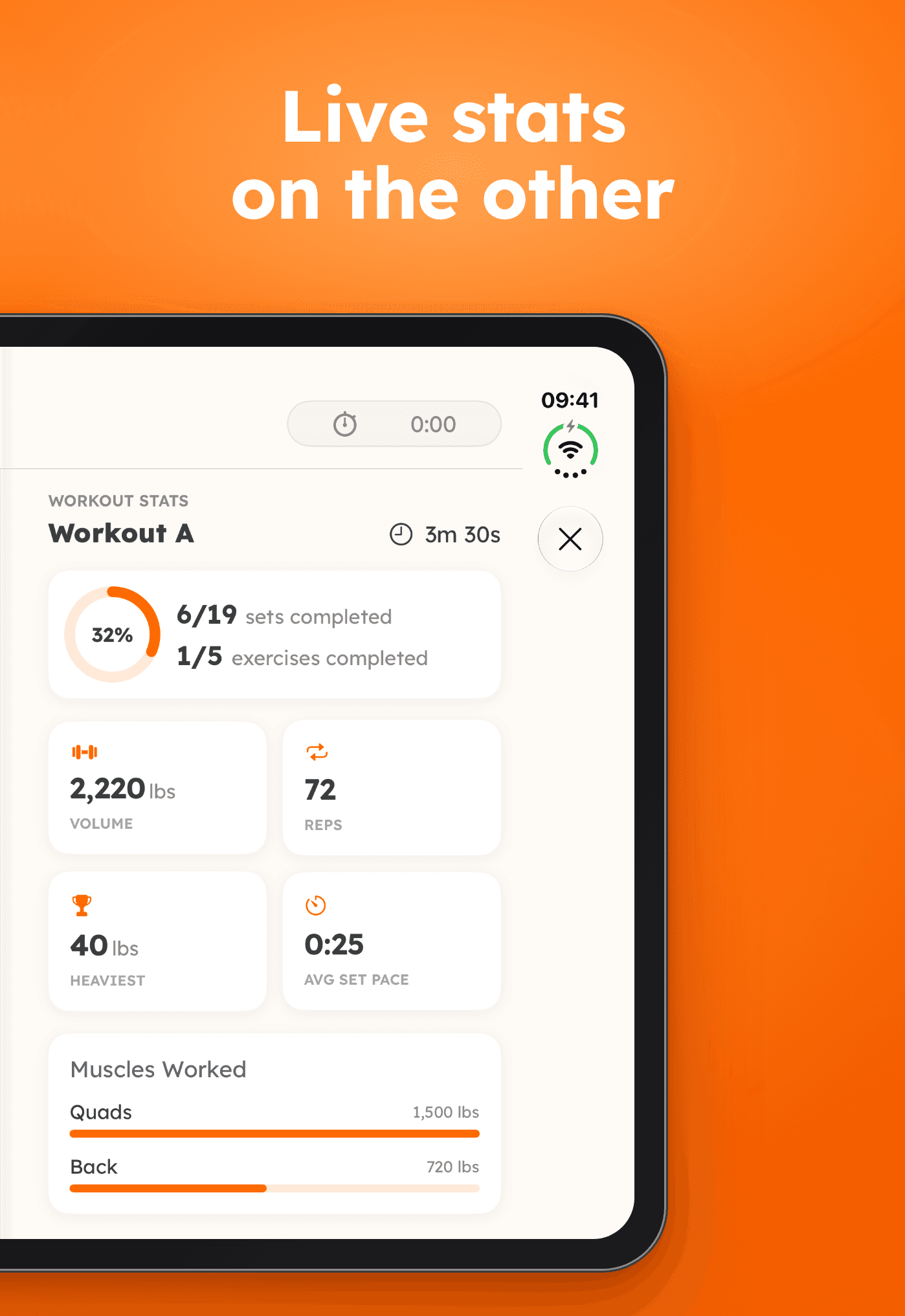
We redesigned the workout screen in Strength Workouts especially for iPhone Duo. Unfold the phone mid-workout and the screen splits right at the fold.
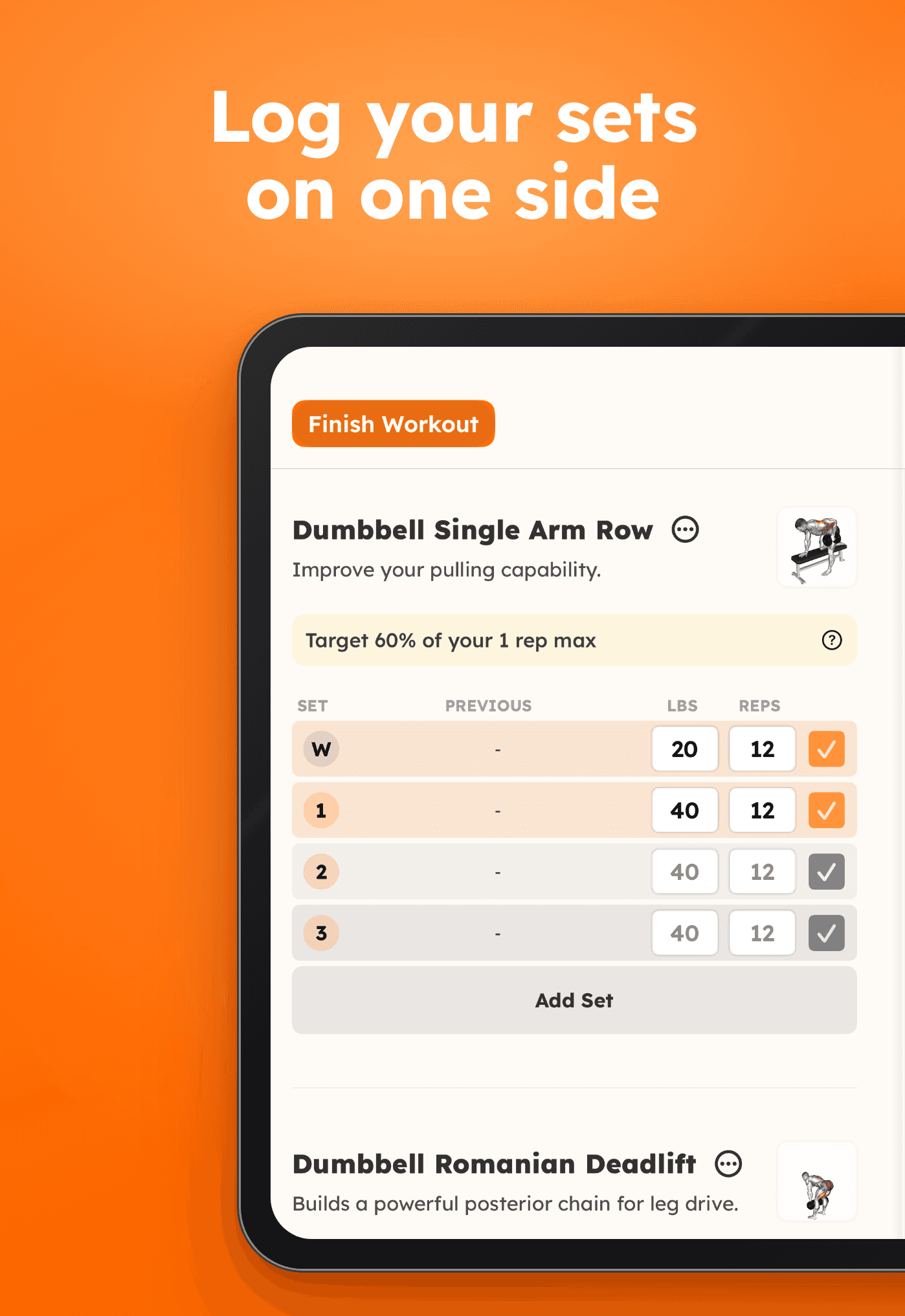
On the left: logging
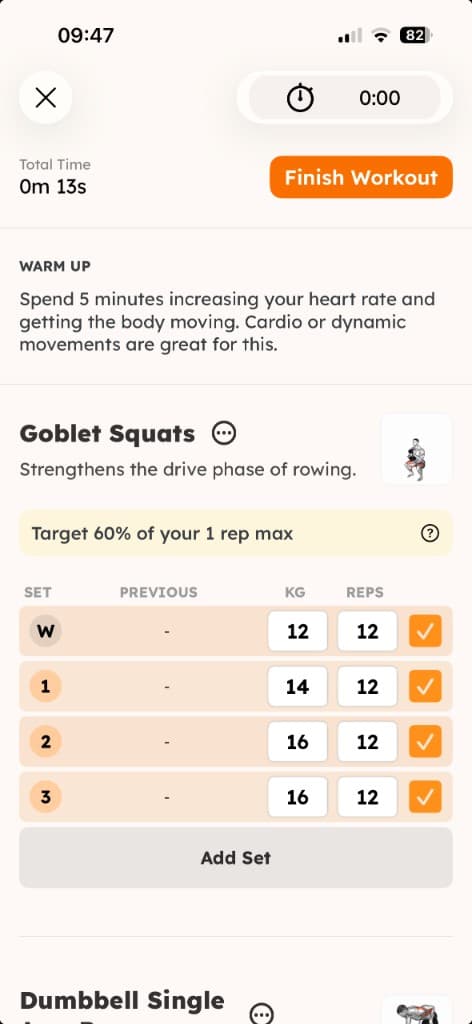
The current exercise, with a row for every set showing its weight and reps, and a tick button to complete each one. It is everything you need to get the set done, and nothing you do not.
On the right: live stats
Every time you tick a set, the right side updates straight away:
- Total volume and total reps for the session so far.
- A progress ring showing how many sets and exercises you have completed.
- Heaviest lift and average set pace.
- Muscles Worked, a bar chart of where your volume is going.
- Per-exercise cards breaking the session down lift by lift.
Across the top: the essentials
A bar pinned across both halves holds Finish Workout and your rest timer, so the two things you reach for most are always one tap away.
Folded: business as usual
Close the phone and the app works as normal on the outer screen, with full logging. Open it again and the split view is back. There is nothing to switch on: it adapts automatically.
Making sense of the live stats
The numbers on the right are not just there to look good. Each one answers a useful question mid-session.
- Volume is sets × reps × weight, added up across the workout. It is the clearest single measure of how much work you have done, and a gradual rise over weeks is what drives progress. (More on that in why you should track weight, reps, and volume.)
- Progress ring tells you how far through the session you are, handy for pacing your effort and your time.
- Heaviest lift highlights your top set of the day, a quick check on whether you are getting stronger.
- Average set pace shows how long your sets are taking, useful if you are training against the clock.
- Muscles Worked shows which muscle groups have taken the most volume. If one area is far ahead of the rest across your week, it might be time to balance things out.
Tips for training with a foldable
- Fold it while you move. Walking between the rack and the dumbbells, keep it closed and use the outer screen.
- Unfold it when you settle. At a bench or a home setup, open it up so the live stats are right there during rest.
- Find a safe spot. Keep the phone somewhere stable and well away from where weights might be dropped or rolled.
- Let the rest timer run. It sits in the top bar, so you can watch your rest without leaving your sets.
- Glance, then lift. Use the stats to make a quick decision, then put your attention back on the next set.
Who will get the most out of it?
- Beginners following a program, who can see exactly where they are in the session at all times.
- Lifters chasing progressive overload, who want volume and their heaviest lift in view while they train.
- Anyone training at home, where an unfolded phone on the floor or a bench makes a handy little workout dashboard.
Not sure where to start? Our free guides like Bodyweight Strength and Foundations: Db Only follow the same programs you can run in the app.
The bottom line
A folding screen gives strength training something a normal phone cannot: room to log your sets and see your session at the same time. Strength Workouts was rebuilt to make the most of it, splitting at the fold when you open iPhone Duo and carrying on as normal when you close it.
See Strength Workouts on iPhone Duo, or download it and try it free for 7 days.